Multi-Camera Wedding Editing: The Foundation of Cinematic Coverage
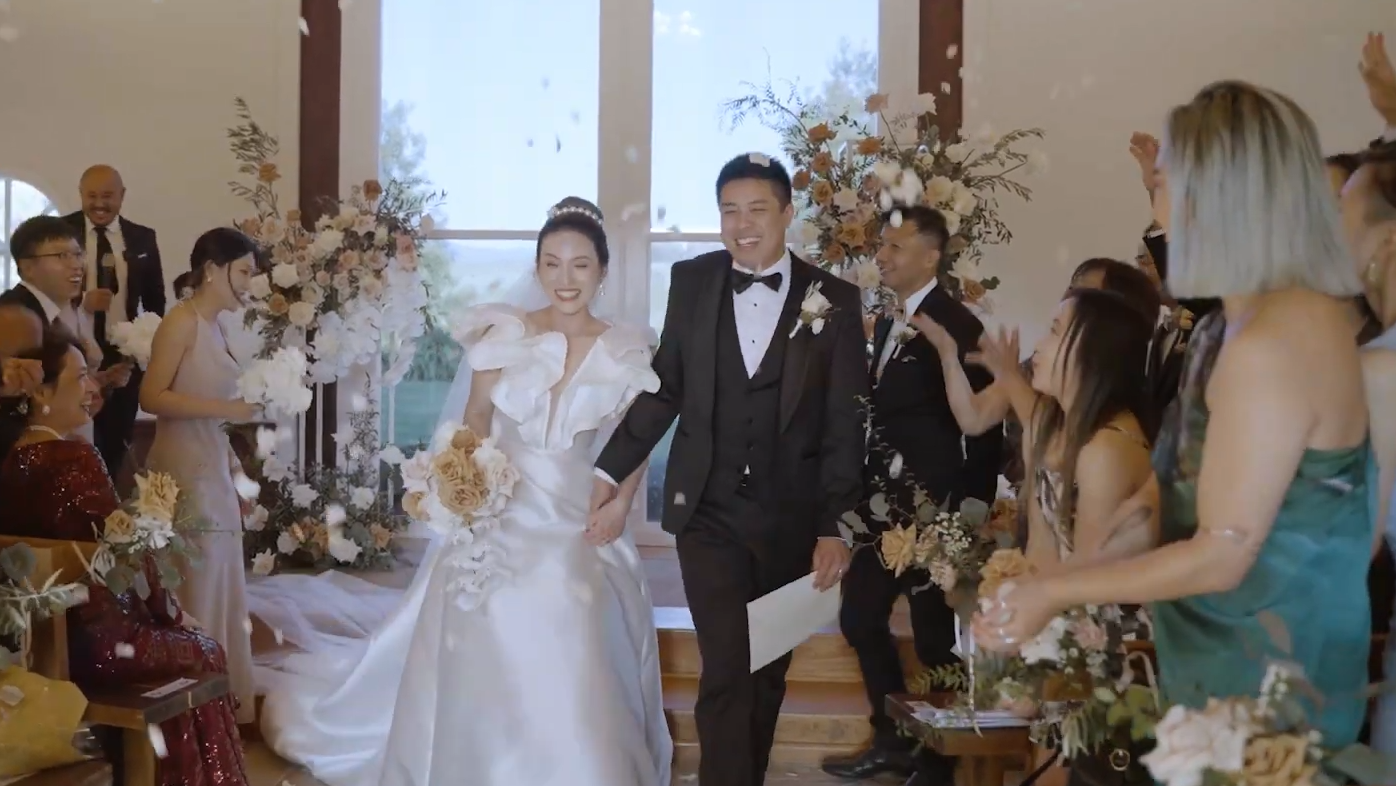
Single-camera wedding video has a structural ceiling. The ceremony is one continuous moment that can’t be re-shot — the kiss, the ring exchange, the first look between the couple. With one camera, you’re forced to pick where to point at every moment, and you miss the reactions on the other side. Multi-camera coverage isn’t a luxury for wedding video — it’s structural for capturing the full emotional content of irreversible moments.
This guide covers the practical workflow for multi-camera wedding editing in 2026: the camera positioning patterns that actually work, the sync workflow that doesn’t fail, the cutting cadence that feels cinematic, and how to handle drone integration cleanly.
The 3-Camera Positioning Pattern That Always Works
For most weddings, three cameras provide the right balance between coverage and complexity. The positioning pattern that works for almost any ceremony:
Wide camera (locked off)
Positioned at the back of the ceremony space on a tripod. Captures the entire ceremony in wide shot. Never moves. This is your safety net — if something goes wrong with cameras B or C, you always have continuous coverage. Set it once and forget it.
Couple-side camera (medium shots)
Positioned at the side of the ceremony space, capturing 3/4 angle of bride and groom from the audience side. Operated by primary shooter. Catches the couple’s expressions, the ring exchange, the close emotional moments. Medium-tight shots.
Reaction camera (audience & couple closeups)
Positioned at front-of-aisle or behind couple, capturing audience reactions during the ceremony and couple closeups during vows and kiss. Operated by second shooter. This is where the most emotional content lives — parent reactions, friend tears, the bride’s smile during vows.
This 3-camera pattern produces enough coverage that almost any cut you want to make is possible in editing. Adding a 4th camera (typically for groom-reaction during bride entrance) is helpful but not structural — the 3-camera pattern is the realistic minimum for cinematic wedding work.
Multi-Camera Sync That Doesn’t Fail
Multi-camera sync is where most wedding edits fall apart. Three approaches in order of reliability:
For working wedding videographers, audio waveform sync via Premiere Pro’s Synchronize feature is the practical default. It works as long as all three cameras can hear the ceremony PA system or ambient audio. The 5% failure cases (cameras too far apart, cameras with no audio) require manual clap sync or timecode.
For high-end productions where sync failure is unacceptable, timecode-capable accessories like Tentacle Sync ($200-400 per camera) eliminate sync as a problem entirely. The investment pays for itself across 5-10 weddings in editor time saved.
The Multi-Cam Cutting Cadence That Feels Cinematic
Once cameras are synced, the cutting decisions are what separate cinematic editing from amateur cutting. Three patterns that make multi-cam wedding editing feel professional:
1. Cut on emotion, not on movement. Cut to camera C (reaction) when an audience member starts to cry, not when the bride moves. The cut should reveal new emotional information, not just a different angle of the same moment.
2. Hold longer than feels natural. Inexperienced editors cut every 2-4 seconds because cuts feel like “editing.” Cinematic wedding work holds shots 6-12 seconds during emotional moments. Trust the audience to engage with sustained images.
3. Use the wide camera as a breathing room. Return to the wide camera periodically to give viewers spatial context and let emotional intensity reset. Cutting only between medium and close-up shots feels claustrophobic.
The vow cutting pattern: hold close-up on the speaker. Cut to reaction at the emotional peak of a sentence. Return to the speaker for the next sentence. This pattern lets each vow phrase land emotionally before showing the impact on the partner. Cutting too early breaks the emotional arc; cutting too late delays the reaction reveal.
Integrating Drone Footage Cleanly
Drone footage in wedding video is overused when applied carelessly. The cinematic principle: drone shots should serve the story, not announce themselves. Three concrete patterns for clean drone integration:
1. Establishing shots only. Drone shots work brilliantly as opening establishing shots (venue from above, landscape context) or transitions between ceremony and reception venues. They work poorly as inserts during the ceremony itself.
2. Match the drone’s color to the ground footage. Drone cameras often have different color science than your main cameras. Without color matching, drone shots stand out as visually disconnected. Apply the same LUT to drone footage that you apply to ground footage.
3. Use stable, slow drone movement. Avoid the typical “drone reveal” pull-back that’s become a cliché. Slow lateral pans, gentle altitude changes, and stable hovers feel cinematic. Aggressive drone movement feels like a real estate listing video, not a wedding film.
How Multi-Cam Editing Works When You Outsource
Multi-camera weddings are where outsourced editing pays off most because the sync and shot-selection work is highly time-intensive. Specific patterns to know:
1. Send all cameras separately, never pre-cut. Send your editor A-camera, B-camera, C-camera, and drone footage as separate folders. Don’t pre-cut anything. The editor needs flexibility to choose the best angle for each moment.
2. Mark which audio source is primary. Tell your editor explicitly: “Lav 1 is bride vows. Lav 2 is groom vows. Camera C audio is ambient ceremony. Reception venue audio is on Lav 3.” Without this, editors guess and audio quality suffers.
3. Indicate priority moments. A 60-minute ceremony has 5-8 moments that absolutely must be in the highlight reel: aisle entrance, vow exchange, ring exchange, kiss, recessional. Mark these timestamps so the editor doesn’t have to guess.
At Cut Pro Media, multi-camera sync, shot selection, and integration are part of standard wedding editing. By project 3-5 with the same dedicated editor, the editor anticipates your priorities and turnaround compresses meaningfully.