
Buyers moving to a new area usually ask the same questions: what is it like to live there, how far is everything, and where would they spend a Saturday? A neighborhood video answers those questions in a few minutes, and it shows the agent knows the area.
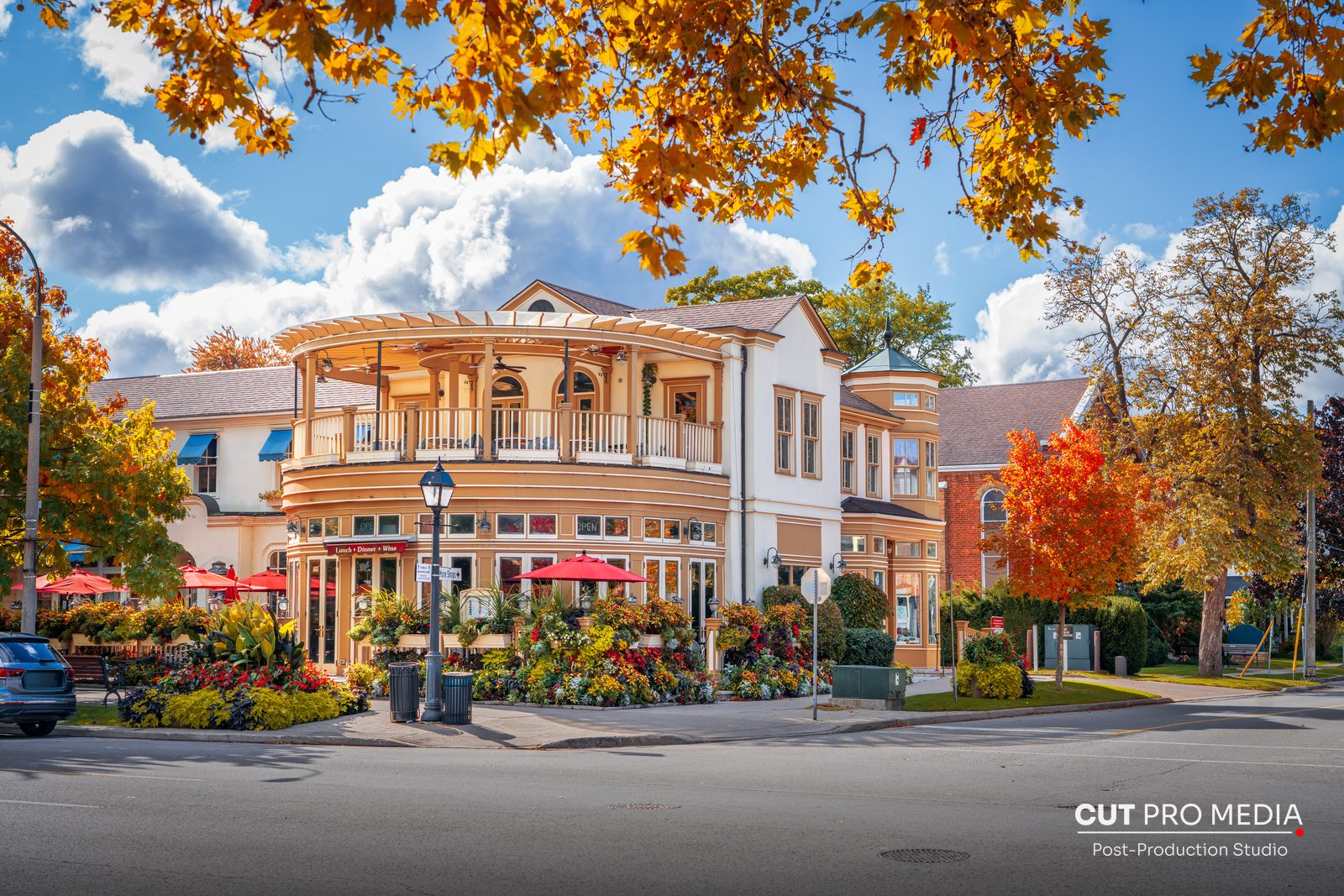
This guide is for real estate videographers, media companies and agents who want to build a library of area videos.
Why agents invest in neighborhood videos
- They are reusable: a segment of the area guide can be added to every listing video in that suburb.
- They build local authority: an agent with a guide to each of their areas looks like the local expert.
- They answer relocation questions: buyers moving from another city or country can see the area before visiting.
- They feed social media: each café, park and view becomes its own short clip.
- They work for sellers too: showing an agent’s area marketing helps win listings.
Planning a neighborhood video
Define the area
Agree the boundaries and the name people use for it.
List the highlights
Parks, beaches, main streets, markets, transport, schools as landmarks, sports and cultural venues.
Collect facts
Distances and travel times to the centre, transport links and key amenities, with a source for each.
Plan the route
A route that flows, so the video does not jump randomly around the map.
Pick the time of day
Main streets look best when they are lively; parks and views at golden hour.
Decide on the agent
On camera as a guide, voice-over only, or pictures and text alone.
A shot list for area videos
Source: Cut Pro Media shot list.
Aerial shots follow the pilot’s rules for where and how they can fly. See real estate drone video editing.
Structuring the guide
Option 1: a day in the area
Morning coffee on the main street, a walk in the park, lunch, the commute, an evening view and dinner. This structure feels natural and personal.
Option 2: from the centre outwards
Start at the heart of the area, then move out to parks, transport and residential streets. This works well for larger areas.
Option 3: by topic
Eat and drink, outdoors, getting around, everyday shopping. This suits YouTube, where chapters let viewers skip to what they care about.
Whichever you choose, open with the strongest image of the area and finish with a clear call to action: the agent’s details or “see homes for sale in this area”.

Keeping area videos fair and accurate
Neighborhood segments are where real estate videos most often slip on fair housing. HUD’s advertising rule, 24 CFR 100.75, covers words, photographs and illustrations that convey a preference based on a protected class.
- Describe places: “a ten-minute walk to the park and the station”, not who lives nearby.
- Avoid describing residents: the area’s demographics, or the kind of people it attracts, do not belong in an area guide.
- Be careful with subjective claims: words like “safe” or “exclusive” can read as signals about who is welcome. Stick to facts with sources.
- Treat landmarks as buildings: a school, church or community centre can be shown as a landmark, not as a reason a particular group would want to live there.
- Keep facts current: businesses close and transport changes; review area videos regularly.
Our full guide to fair housing and real estate video includes a checklist.
Filming in public: permissions and people
- Businesses: ask before filming inside cafés, shops and restaurants. Many owners welcome the exposure.
- Private property: film from public places unless you have permission.
- People: avoid close, identifiable shots of members of the public. Wide shots of a lively street are different from a close-up of one person.
- Children: avoid filming children in playgrounds and schools.
- Local rules: some councils and parks require permits for commercial filming. Check before the shoot.
Rules differ by country and city, so check local requirements before filming.
Editing neighborhood videos
Build the story first
Lay out the route or day structure before polishing any section.
Use maps and labels
A simple animated map or place labels keep viewers oriented.
Add distances as text
“5 min walk” or “12 min drive to the city” on screen, from your fact list.
Mix wide and close
Aerials and wide streets, then coffee being poured or a swing moving.
Use natural sound
A little café chatter or waves under the music makes it feel real.
Add chapters on YouTube
Clear sections help viewers find what they want.
Keep colour consistent
Footage shot across a day should still feel like one video.
One shoot, many videos
When a segment is added to a listing video, check that the MLS version stays within branding rules. For vertical reframing, see real estate reels, TikTok and Shorts.
How Cut Pro Media edits neighborhood videos
Cut Pro Media edits for real estate videographers, drone operators and media companies. You shoot; we edit.
- Standard real estate edit: $140 flat rate for up to 3 minutes of edited video, 24-hour turnaround when footage is uploaded by 8 AM your local time.
- Area guide edits: drone and ground footage combined, with place labels, title cards, music sync and lower thirds.
- Multi-platform package: custom quote, 1–2 working days: 16:9 master, 9:16 vertical and 1:1 square, with captions on social versions.
- Revisions: up to 2 hours per project (music changes not included).
See our real estate video editing service and pricing.
Common questions
Sources: 24 CFR 100.75, “Discriminatory advertisements, statements and notices”, via Cornell Legal Information Institute. Read 18 November 2026. Structures, lengths and shot lists are Cut Pro Media guidelines. This article is general information, not legal advice.
Watch & Follow
See our editing in action
A one-minute look at the wedding and real estate edits our team delivers every week.
Follow Cut Pro Media for new edits, tips and behind-the-scenes: